Writing · MARGIN NOTESWeb Security
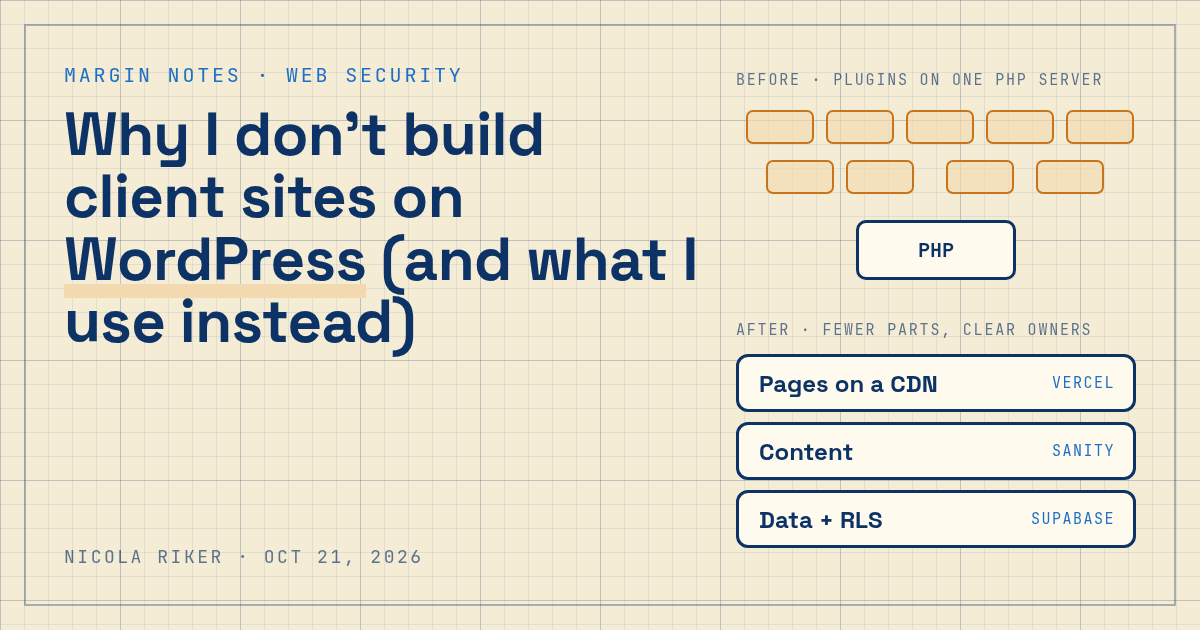
Why I don't build client sites on WordPress (and what I use instead)
php2shell just put every PHP web server at risk. This is the WordPress alternative I build client sites on instead, why it shrinks the attack surface, and where it still falls short.
- Author
- Nicola Riker Urdaneta
- Published
- October 21, 2026
- Reading time
- 10 min read
Contents
TL;DR
Today PHP shipped emergency fixes for php2shell, two critical flaws that allow unauthenticated remote code execution on servers running PHP. Every WordPress site runs on PHP, so every self-hosted WordPress site is now waiting on someone to patch it. That's why my WordPress alternative for client sites is a stack with fewer moving parts and a clear owner for each one: prebuilt pages on Vercel's CDN, content in Sanity, data in Supabase with row level security, and a short dependency list I review myself. It's not unhackable. It's smaller, and somebody's actually watching it.
What happened with php2shell?
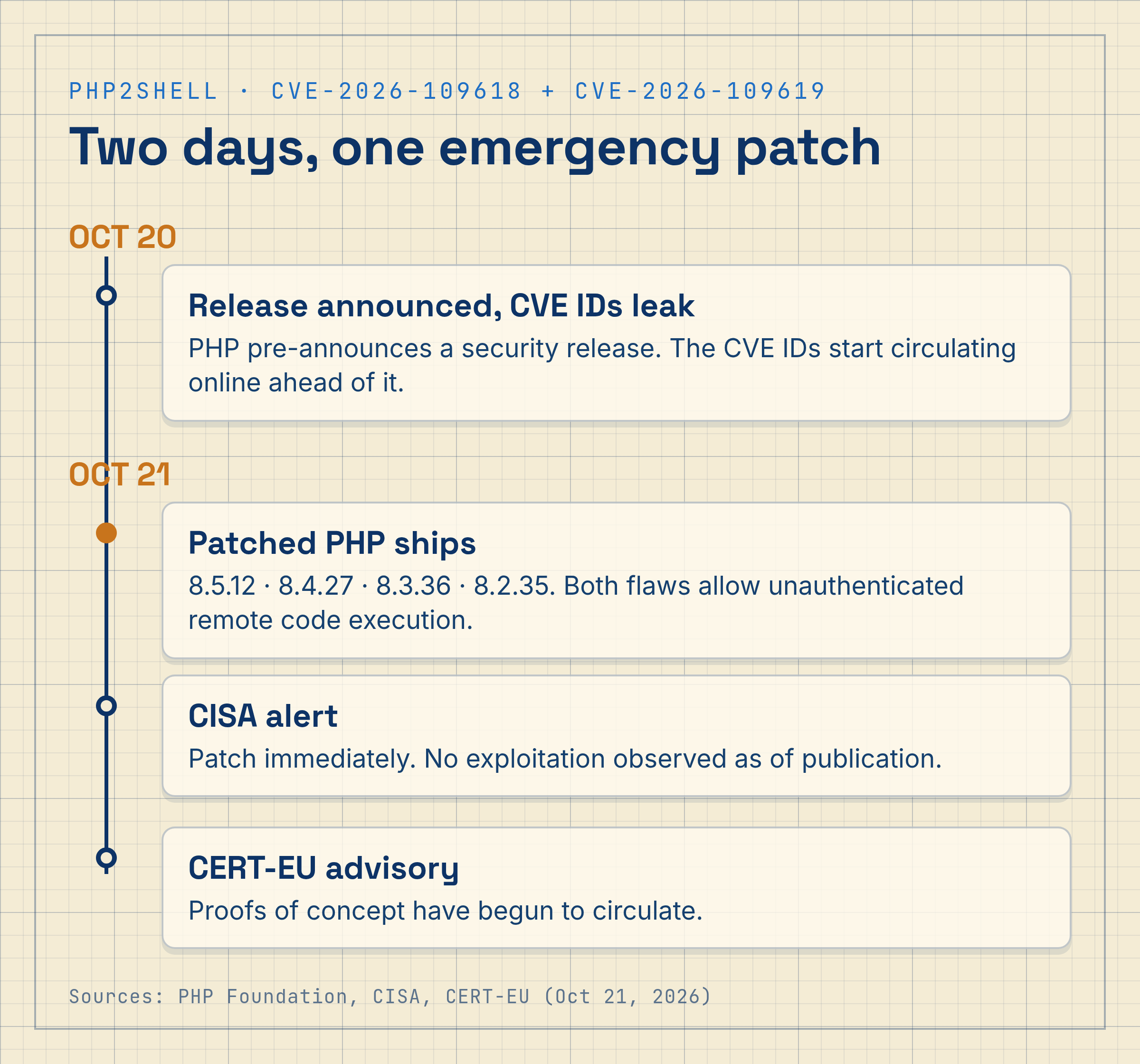
PHP pushed out 8.5.12, 8.4.27, 8.3.36 and 8.2.35 today (October 21, 2026) to fix CVE-2026-109618 and CVE-2026-109619, both rated 9.2 on CVSS. According to CERT-EU, they "can allow unauthenticated remote code execution," and any PHP install serving web requests is at risk: PHP-FPM, Apache with mod_php, php-cgi, FrankenPHP and LiteSpeed included.
Apache with mod_php gets the worst of it. According to the PHP Foundation, on that setup "an unauthenticated request can trigger this before any application code runs," and full remote code execution has been demonstrated with default settings. Their advice was refreshingly blunt: "If you run PHP, it is imperative that you update now."
CISA says it hasn't seen exploitation yet, but it's telling anyone who can't update right away, or is still on PHP 8.1 or older, to take those PHP systems offline until they're patched. CERT-EU says proofs of concept are already starting to circulate, and Cloudflare says it saw attack traffic aimed at its customers after details leaked ahead of today's release.
PHP sits under 69.3% of websites whose server-side language W3Techs can detect. That includes nearly every WordPress site out there.
Is WordPress secure?
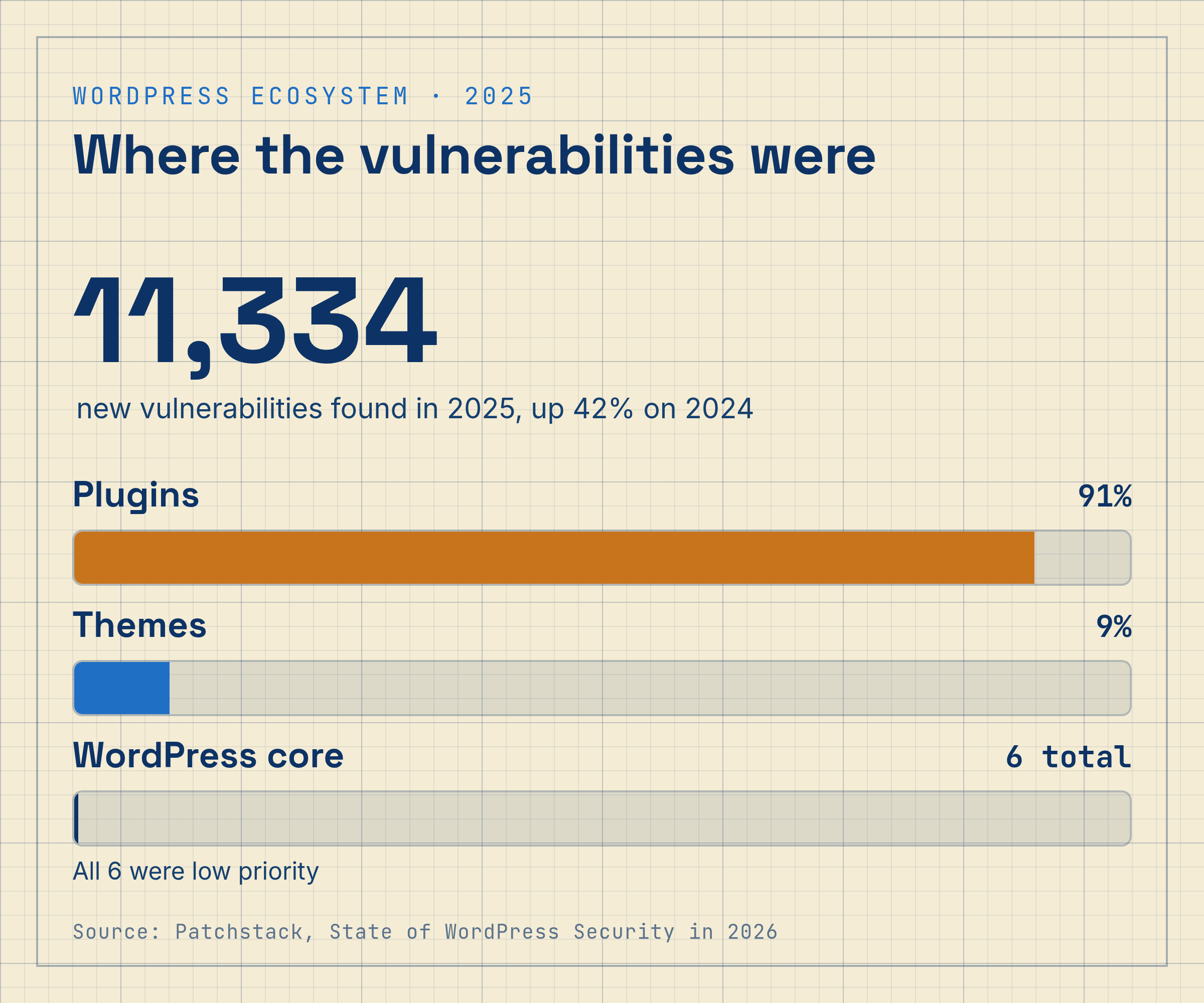
Credit where it's due: WordPress core is in good shape. Patchstack's State of WordPress Security in 2026 counted just 6 vulnerabilities in core for all of 2025, all low priority. Minor and security releases for core also install automatically by default on most sites.
The trouble is everything people bolt on around it. That same Patchstack report found 11,334 new vulnerabilities in the WordPress ecosystem in 2025, up 42% from 2024, and 91% of them were in plugins. Themes accounted for another 9%. Page builders are a big chunk of the typical plugin stack: Elementor alone runs on 31.6% of WordPress sites, according to W3Techs.
So when someone asks me if WordPress is secure, my honest answer is: core is. The typical client site, though, is a pile of plugins from a bunch of different authors, each with their own update habits.
Why php2shell is really a maintenance story
php2shell isn't a WordPress bug. It lives in PHP itself, so updating WordPress, your theme or your plugins does nothing for it. The fix is a PHP update on the server, and on most small business sites, that server belongs to a hosting company.
That's the part that bugs me. When a runtime flaw drops, a self-hosted WordPress site is only as safe as its host is fast: how quickly it rolls out new PHP packages and restarts every worker. Plugin vulnerabilities play out the same way on a smaller scale. Patchstack found that 46% of WordPress vulnerabilities in 2025 had no developer fix when they were publicly disclosed, and for the most heavily exploited ones, the weighted median time to the first exploit attempt was 5 hours.
Five hours. That's shorter than most people's workday, and a site nobody's assigned to watch isn't going to win that race.
What WordPress alternative do I use for client sites?
I build on four pieces, and each one has a clear owner. Quick tour of what each does and why I picked it.
Prebuilt pages served from Vercel's CDN
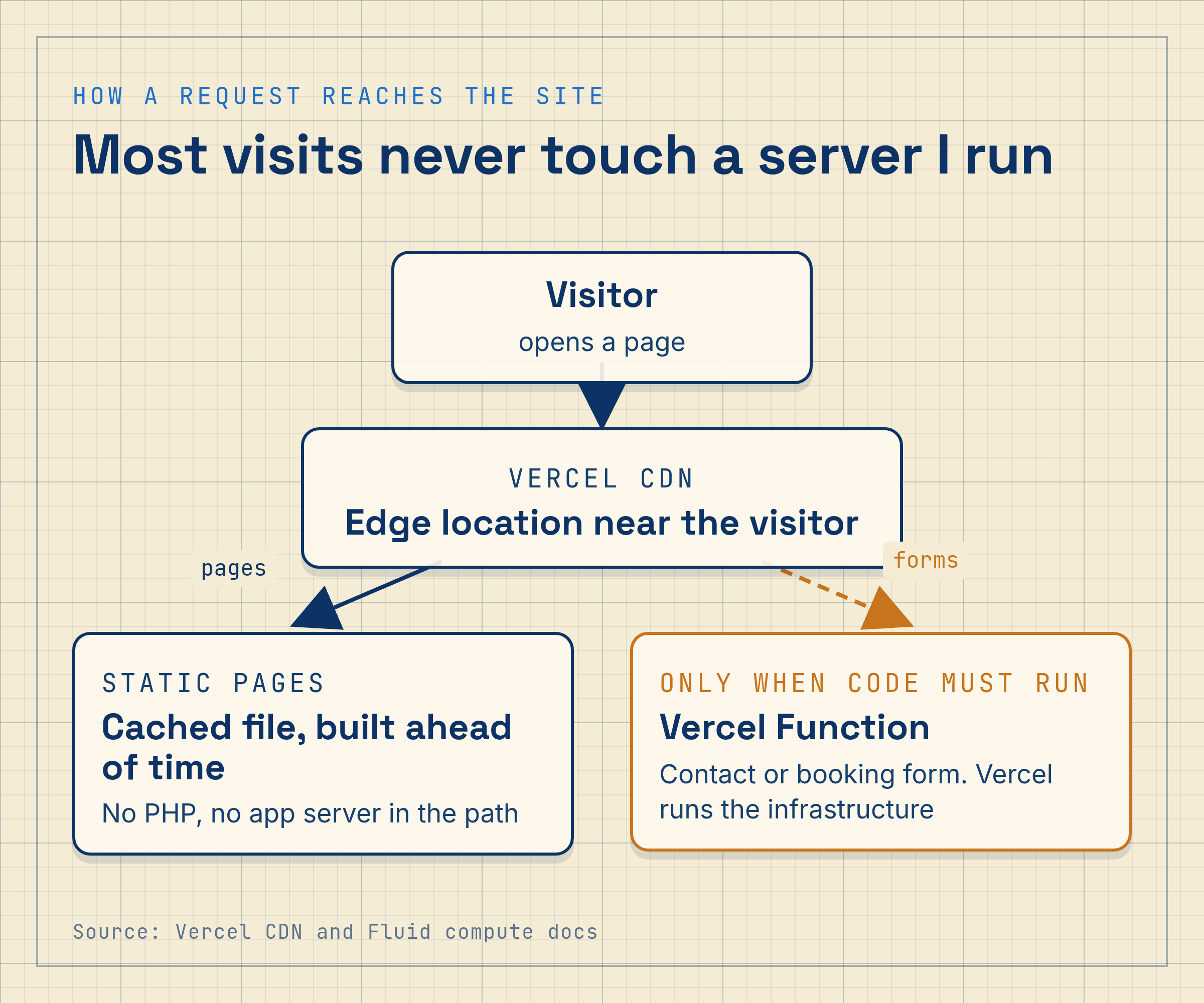
Most of a marketing site doesn't need to run code when someone visits. I render those pages at build time and serve them as files from Vercel's CDN, which Vercel says spans 126 points of presence across 51 countries. Someone loading the homepage gets a cached file from an edge location near them. There's no PHP interpreter in that path, and no application server of mine for a crafted request to reach.
When a page does need code, like a contact form or a booking request, it runs as a Vercel Function on infrastructure Vercel operates. To be clear, those functions aren't throwaway sandboxes: Vercel reuses warm instances and can run several requests on one instance to cut cold starts. What changes is who does what. Vercel runs and patches the servers and network underneath. My job is keeping the Node.js version and my own code current, and that's a much shorter list than an entire PHP stack.
Content lives in Sanity, not on the live site
My clients edit their pages in Sanity, a hosted headless CMS. Their content lives in Sanity's Content Lake, and the editor (Sanity Studio) is a separate app from the public website. There's no /wp-admin login page on the live domain for bots to hammer, and on Sanity's paid plans you can give editors roles like Contributor, who can write drafts but can't publish.
The real risk with Sanity is a leaked API token. Sanity's own security guidance says the most common way tokens leak is bundling one into frontend JavaScript, so I keep write tokens server-side only.
Access rules inside the database with Supabase
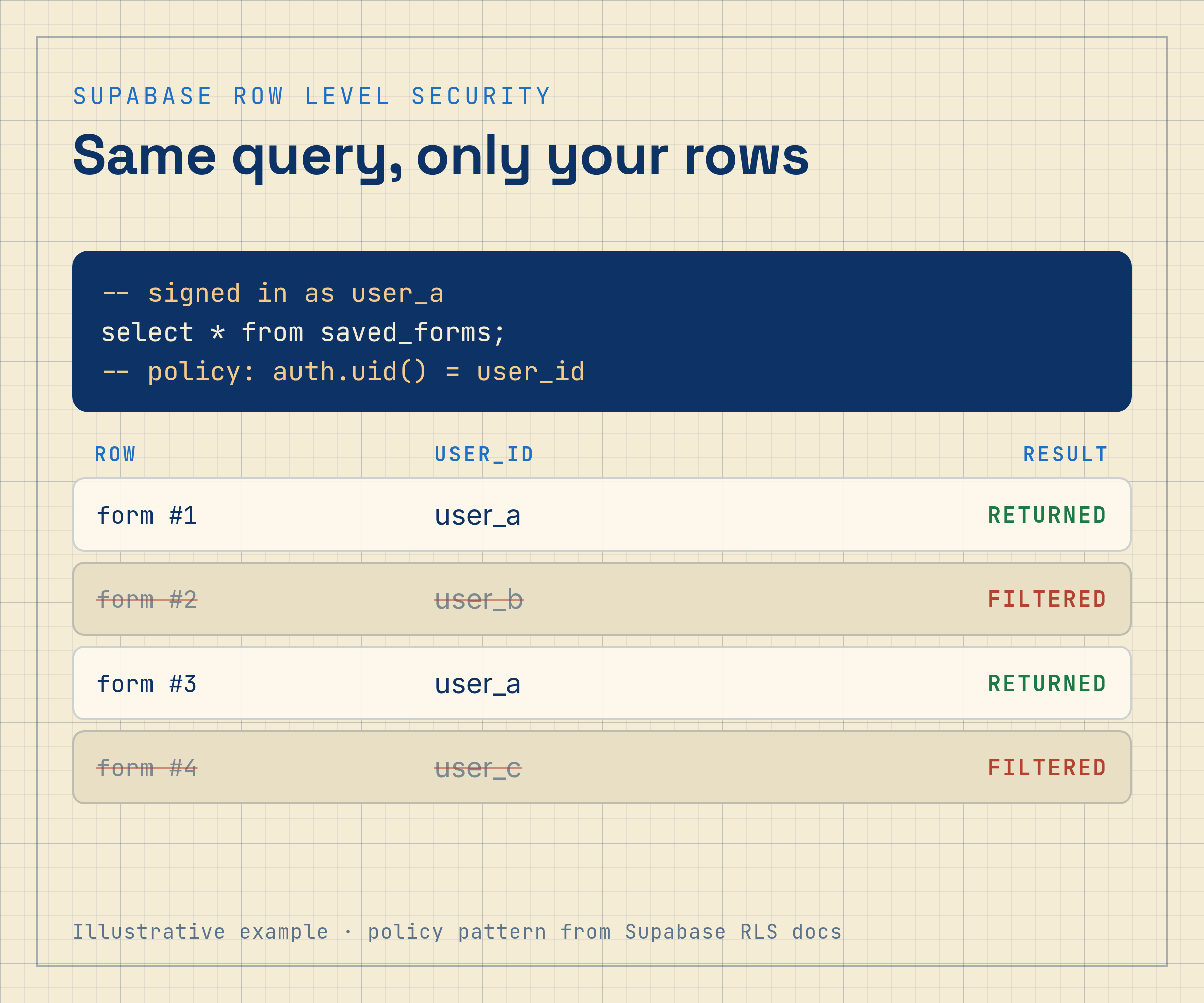
When a site needs real data, like accounts, saved forms or a member area, I use Supabase. It runs on Postgres, and its row level security lets each table enforce its own rules about who can read or write which rows. Supabase's docs say to think of a policy as "adding a WHERE clause to every query," so a frontend bug can't just ask for rows the policies don't allow.
A short dependency list I can explain
Every package in a client project is one I picked on purpose and can explain. No plugin marketplace, no abandoned add-ons, no premium theme full of code nobody's audited. Patchstack found that 76% of the vulnerabilities reported in premium WordPress components were exploitable in real attacks. That's a pretty good argument for knowing exactly what you ship.
How does this stack compare to WordPress?
- Who patches the runtime. Plugin-heavy WordPress, nobody assigned: Shared host, on its own schedule. Well-run WordPress: Managed host with a security team. My stack (Vercel + Sanity + Supabase): Vercel for infrastructure; me for Node.js version and code.
- Exposure to php2shell. Plugin-heavy WordPress, nobody assigned: Yes, until the host updates PHP. Well-run WordPress: Yes, until the host updates PHP. My stack (Vercel + Sanity + Supabase): No PHP in the stack.
- Admin login on the live domain. Plugin-heavy WordPress, nobody assigned:
/wp-admin, protected by whatever the owner set up. Well-run WordPress:/wp-adminwith 2FA and rate limits. My stack (Vercel + Sanity + Supabase): None; editing happens in Sanity Studio. - Third-party code. Plugin-heavy WordPress, nobody assigned: Many plugins from many authors. Well-run WordPress: A short vetted plugin list. My stack (Vercel + Sanity + Supabase): A short reviewed npm dependency list.
- Data access rules. Plugin-heavy WordPress, nobody assigned: Plugin and theme code decides. Well-run WordPress: Plugin and theme code decides. My stack (Vercel + Sanity + Supabase): Postgres row level security per table.
- Main risk. Plugin-heavy WordPress, nobody assigned: Unpatched plugins and runtime. Well-run WordPress: Plugin zero-days, host delays. My stack (Vercel + Sanity + Supabase): Leaked keys, misconfigured RLS, npm supply chain.
What this stack does not protect you from
Moving off WordPress doesn't make a site safe by default. A few things can still go wrong:
- JavaScript has its own bad days. Modern frameworks and npm packages have shipped serious vulnerabilities too. A smaller dependency list lowers the odds. It doesn't make them zero.
- Row level security can be misconfigured. A missing policy or a forgotten grant can expose a table. That's why I test policies before launch.
- Leaked keys hurt on any stack. A Supabase secret key or a Sanity write token in the wrong place is a bad day no matter what the site is built on.
- Platforms can fail. Relying on Vercel, Sanity and Supabase means trusting their security teams. I think that trade's worth it, but it's still a trade.
When WordPress is still the right call
WordPress isn't the enemy, and I don't tell every client to leave it. If you've got an in-house team that knows WordPress, a managed host that patches quickly, a short list of well-maintained plugins and 2FA on every admin account, you can run a solid site. And a huge plugin ecosystem is genuinely useful when you need a niche integration by next week.
What I won't do is hand a client a plugin-heavy WordPress build with no maintenance plan and call it done. That's exactly the setup php2shell punishes.
Key Takeaways
- php2shell (CVE-2026-109618, CVE-2026-109619) allows unauthenticated RCE on PHP web servers. Every self-hosted WordPress site depends on its host updating PHP.
- Updating WordPress does not fix php2shell. The fix is PHP 8.5.12, 8.4.27, 8.3.36 or 8.2.35 on the server.
- WordPress core is solid; plugins carry most of the risk. 91% of 2025's 11,334 new WordPress vulnerabilities were in plugins (Patchstack).
- Attackers move in hours. Weighted median time to first exploit for heavily exploited WordPress flaws: 5 hours.
- My WordPress alternative splits the site into owned pieces. Static pages on a CDN, Sanity for content, Supabase RLS for data.
- No stack is unhackable. The win is a smaller attack surface plus someone actively maintaining it.
What hiring a professional actually buys you
A good-looking site is the easy part. What a professional developer really brings is judgment about what goes into it, and the habit of keeping an eye on it after launch.
When news of php2shell broke, the useful question for a business owner wasn't "is PHP bad?" It was "who's checking my site today?" For a lot of small businesses, the honest answer is nobody. The site got built, the invoice got paid, and the plugins have been quietly aging ever since.
I build sites so that question has a short answer: fewer moving parts, each run by a company with its own security team, and a developer who reads the advisories and knows exactly what each client site runs.
FAQ
Is WordPress secure?
WordPress core is generally secure: Patchstack recorded only 6 core vulnerabilities in 2025, all low priority, and minor core updates install automatically by default. Most risk comes from plugins and themes, which accounted for 91% and 9% of the 11,334 new WordPress ecosystem vulnerabilities Patchstack found that year.
Does php2shell affect WordPress sites?
Yes. php2shell (CVE-2026-109618 and CVE-2026-109619) is a flaw in PHP itself, and WordPress runs on PHP. Any self-hosted WordPress site is exposed until its server runs PHP 8.5.12, 8.4.27, 8.3.36, 8.2.35 or a vendor backport. Updating WordPress, themes or plugins does not fix it.
What is a good WordPress alternative for a business website?
A common alternative is a headless setup: pages prebuilt and served from a CDN such as Vercel, content managed in a hosted CMS such as Sanity, and data in a database with access rules, such as Supabase with row level security. It removes PHP and the plugin layer, though it needs a developer to build and maintain.
Can my team still edit the website without WordPress?
Yes. With Sanity, editors work in Sanity Studio, a separate editing app. On Sanity's paid plans you can add roles such as Contributor, who can draft but not publish. Changes go live without anyone logging into the public website, because there is no admin page on the live domain.
Is a Vercel, Sanity and Supabase site unhackable?
No. It removes PHP and the plugin marketplace from the picture, but leaked API keys, misconfigured row level security and vulnerable npm packages are still real risks. The advantage is a smaller attack surface, managed infrastructure, and a short dependency list someone actively reviews.
Not sure what your site runs on?
If you don't know what your website runs on, or who would patch it today, let's find out together. In a free 30-minute call I'll look at your current setup with you and tell you plainly whether it needs work, even if the answer is "you're fine."
Recommended links
- RikerWeb services: what we build and what we don't
- How a RikerWeb engagement runs: scope, design in the browser, weekly deploys, handover
- RikerWeb pricing and care plans: fixed-price builds and the monthly care plan
- Recent RikerWeb work
- How I built my own portfolio on Nuxt and Sanity
- Accessibility debt: what an audit finds
- Free scoping checklist: scope the app before you hire anyone
Next step · ENGAGEMENT
Have a project in this shape?
Send a short brief. I will scope it with you, then build it.