Case Study · Project Detail
CareAcademy Platform
Marketing and learner-facing platform work for CareAcademy — Vue, Nuxt, and a tightly scoped design system that ships fast and stays consistent.
Year
2023
Status
Completed
Category
Website
Client
CareAcademy
Technologies
Fig. 01 · Hero Image · Click to enlarge
Case Study · NOTES
Contents
When I joined CareAcademy, the admin UI was stuck in the past. The first image shows where things started — a legacy product lacking a coherent visual language, working against its own users in places it should have been quietly getting out of the way.
Where it started
- No mobile optimization
- Inconsistent fonts, colors, and button styles
- Lacking brand identity
- Confusing menus
- User accounts continued receiving services despite no working payments
- Hard-to-find upgrade page
- Diverged from common patterns users expect, leaving the customer service team working overtime to resolve client confusion
- No self-guided onboarding flow
- No easy-to-reach catalog of available content
The revival
I helped begin the redesign — a brand-new revival of the admin UI, built from the components in the CareAcademy design system I'd been shipping in parallel. The user is the top priority; the goal was to eliminate noise wherever it wasn't earning its place on the screen.
Collapsible navigation
A collapsible side navigation, built from design-system components. Users get the room they need when they're focused on a task, and the structure they need when they're moving between sections.
Course catalog
Previously, the course catalog lived inside a PDF. Replacing that with a real UI — searchable, filterable, built from the design system — meant admins could find what they needed quickly and stop fighting the document.
Video library
CareAcademy had a deep library of training content that users couldn't easily browse. The new video library surfaced that content directly in the product, using the same design-system components, with pagination and search built in.
Mobile optimization
The design-system components ship mobile-optimized by default — so every screen that adopted them inherited a responsive layout without bespoke work.
Reusable design system
Every redesign above traces back to the design system. By keeping it reusable and well-scoped, the work done for the admin UI is ready to extend into other CareAcademy verticals without redesigning from zero each time.
Self-guided onboarding wizard
Built the front end for the upcoming self-guided onboarding wizard from the design-system components — a multi-step flow that lets new accounts get up and running without a customer-service handoff.
New pricing model
An improvement from the five-package structure that came before — three tiers (Essentials, Advanced, Complete) with clearer positioning and recommended-for guidance, again assembled from the design-system primitives.
New payment checkout page
The new checkout is a more digestible, step-by-step form built on the wizard component from the design system — reducing the friction that had previously made the upgrade path hard to find and harder to complete.
Gallery
Visual Documentation
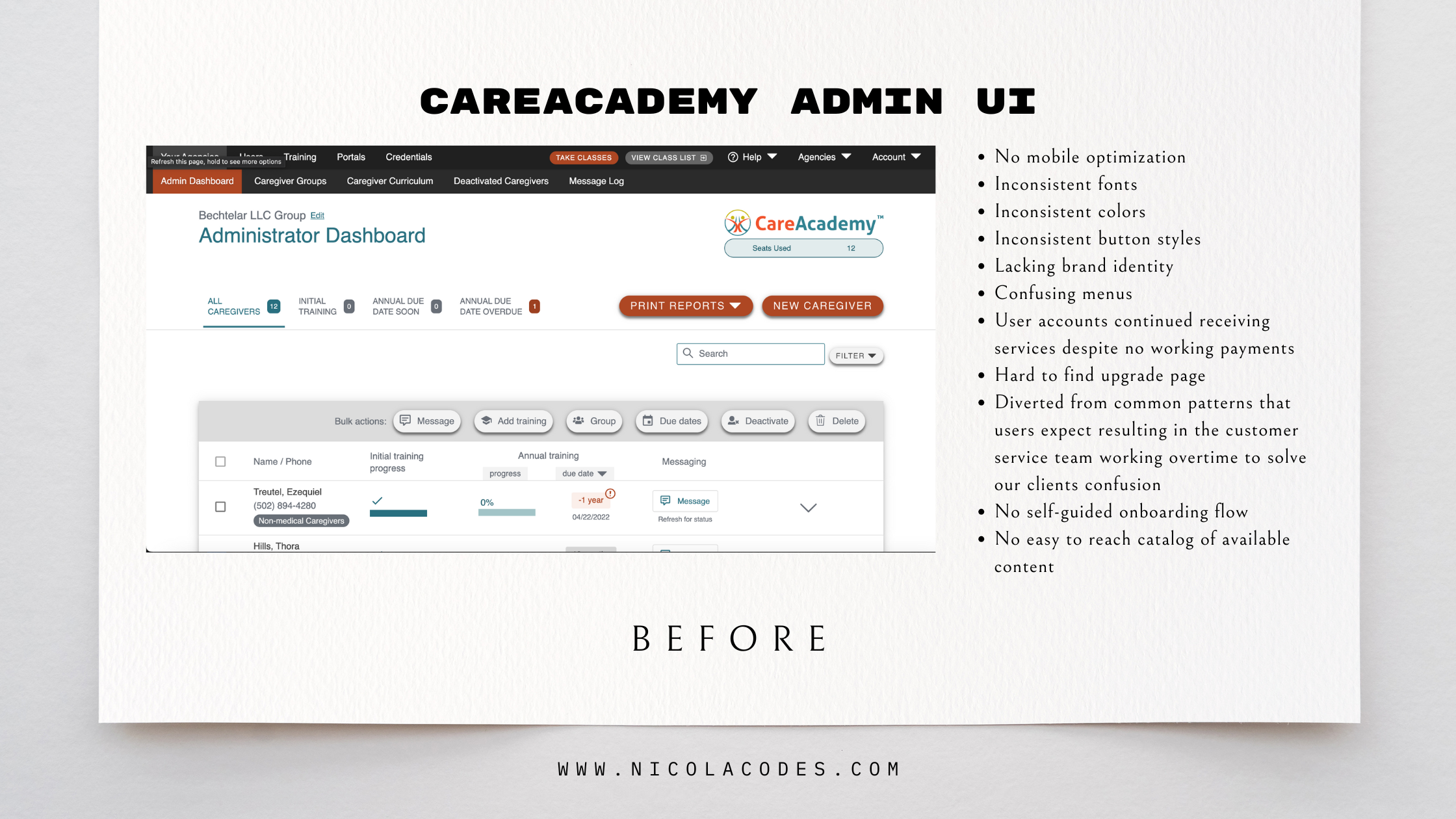
Fig. 02 · Click to enlarge
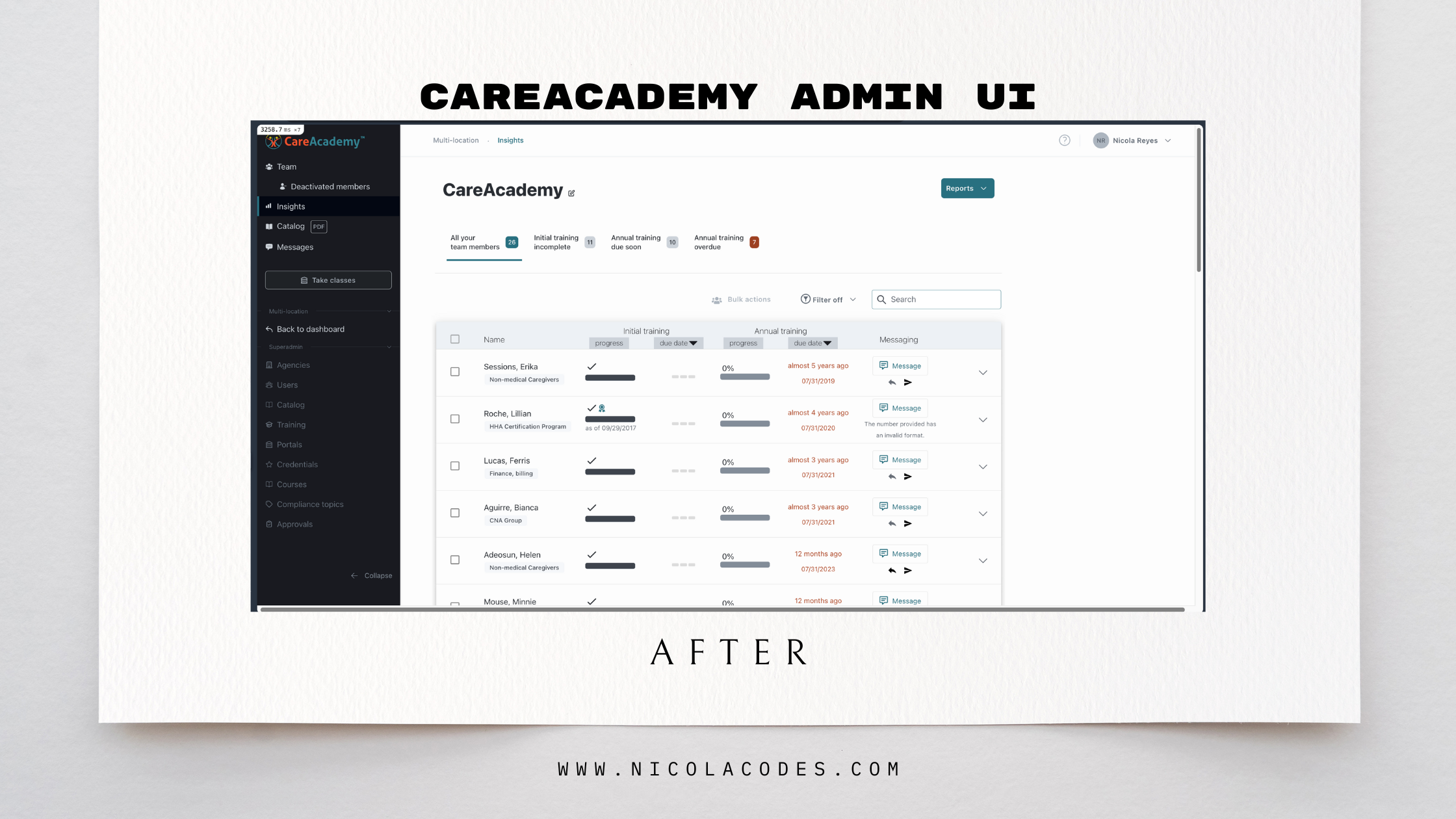
Fig. 03 · Click to enlarge
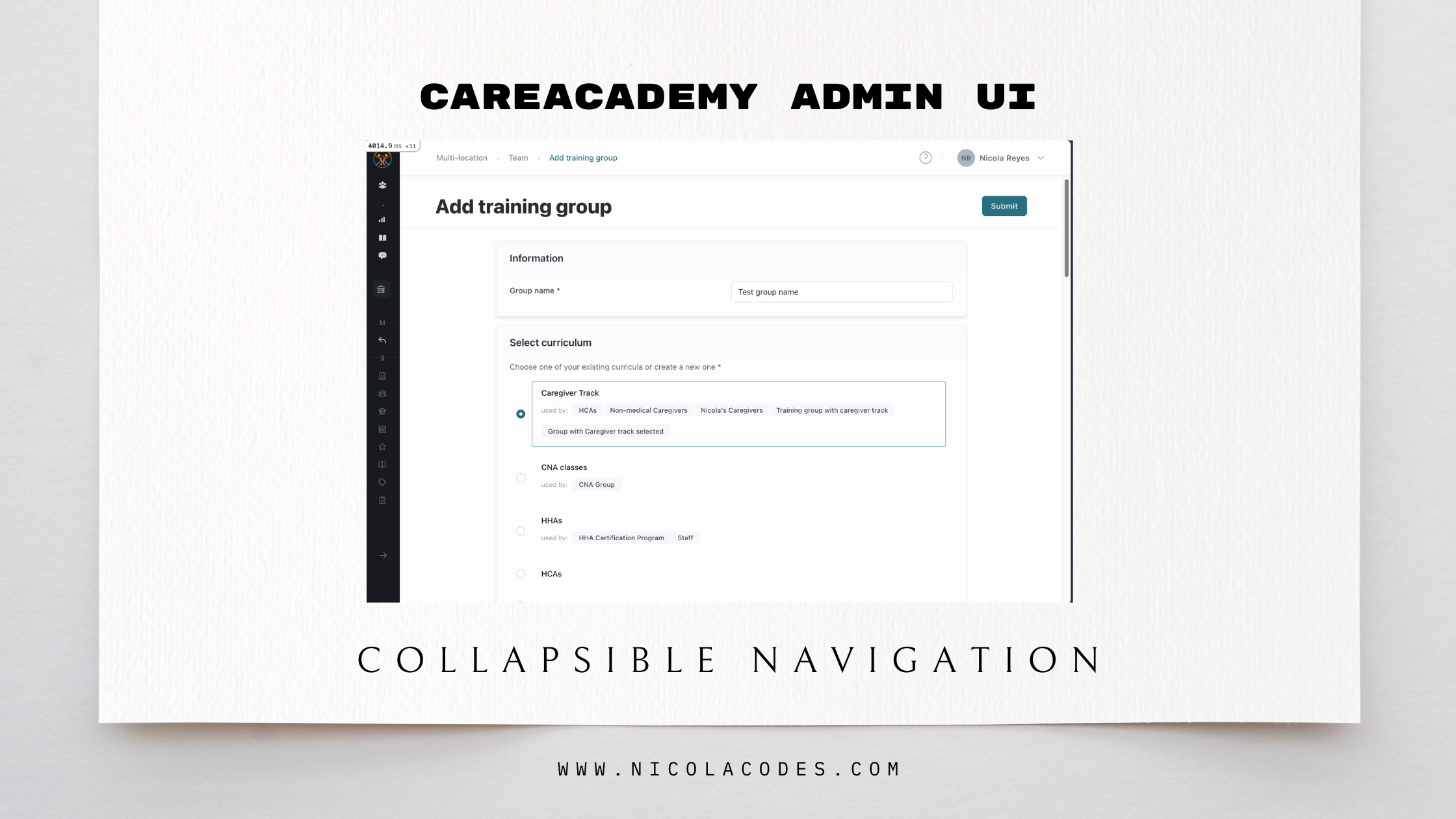
Fig. 04 · Click to enlarge
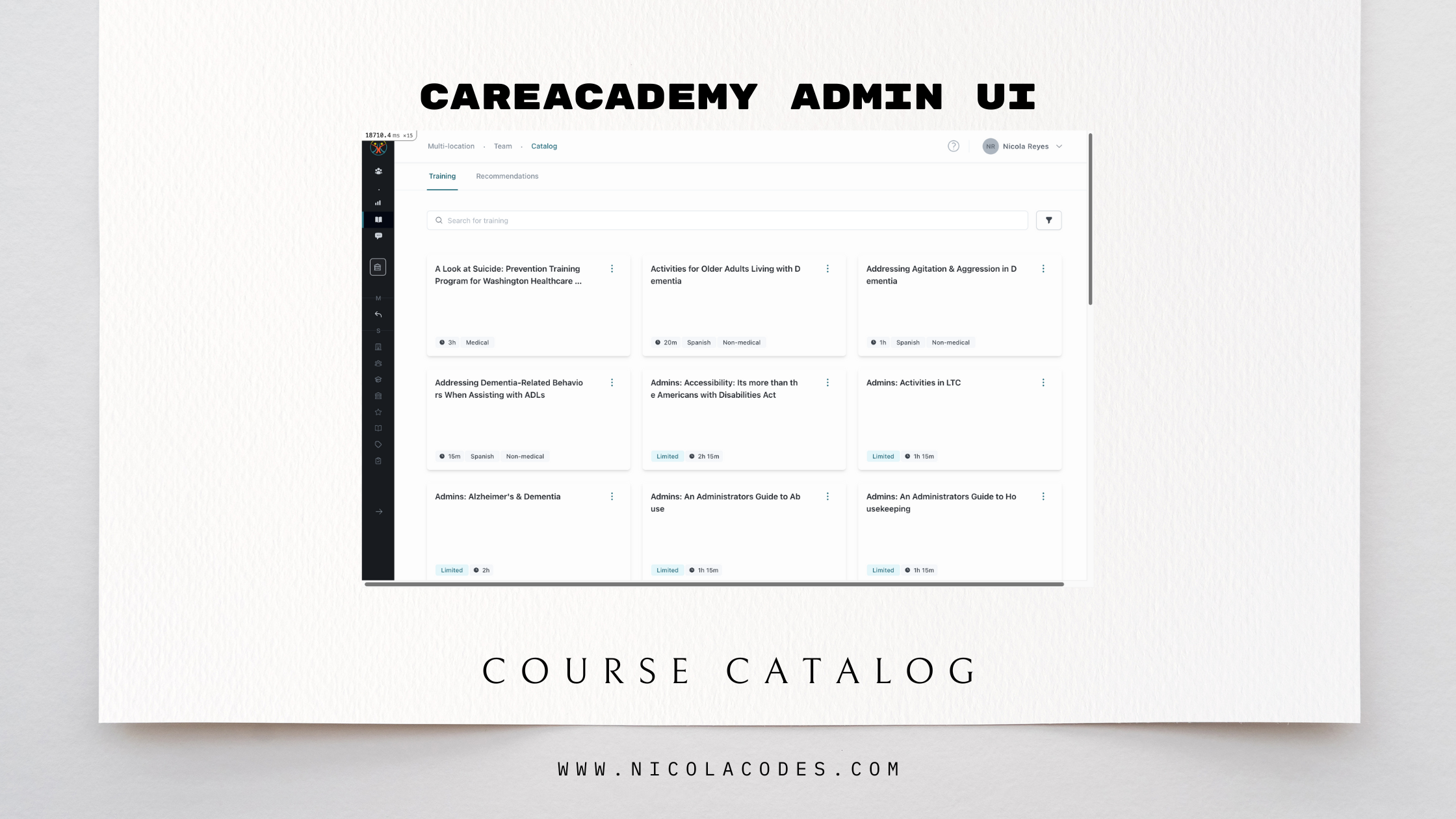
Fig. 05 · Click to enlarge
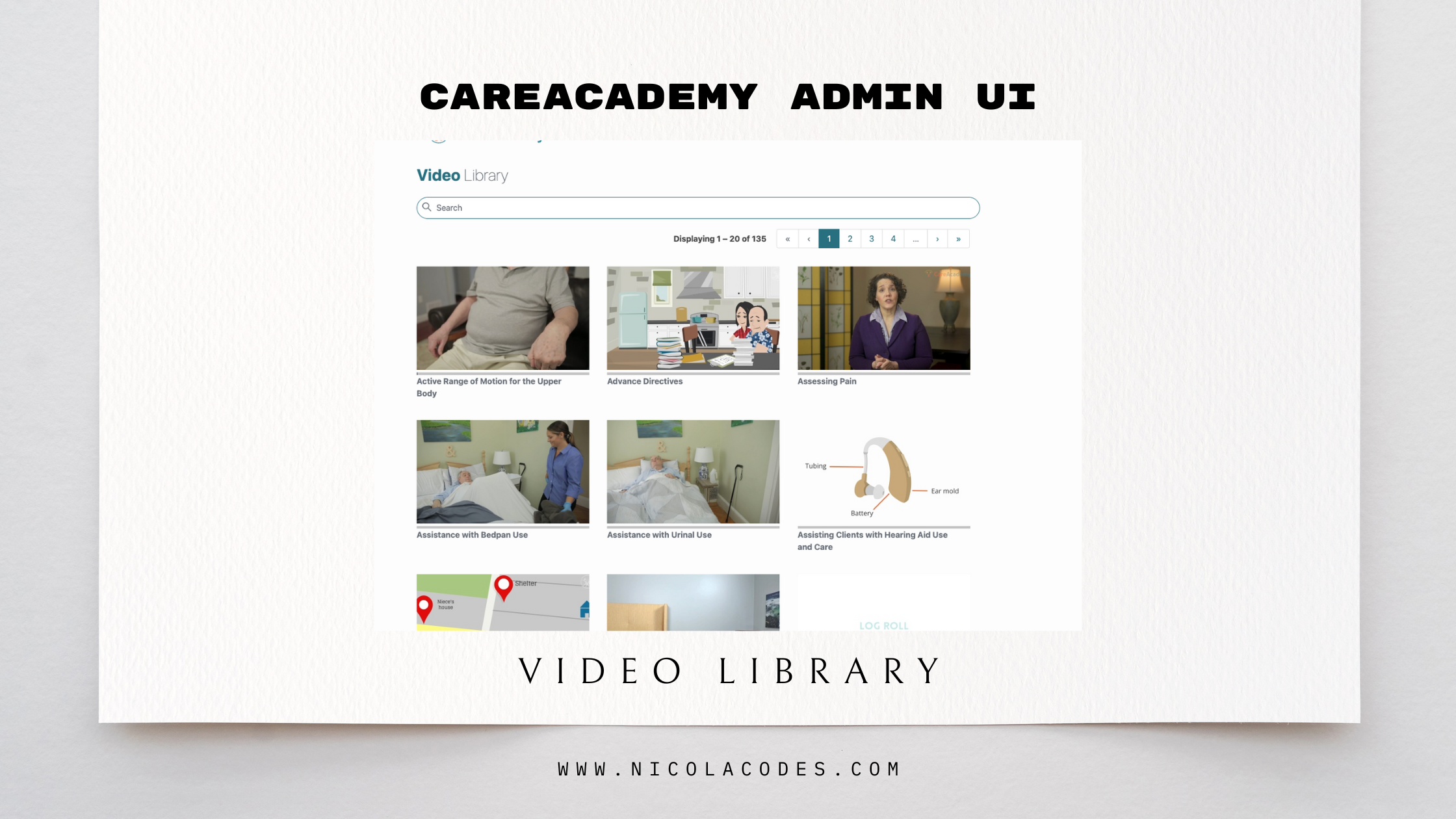
Fig. 06 · Click to enlarge
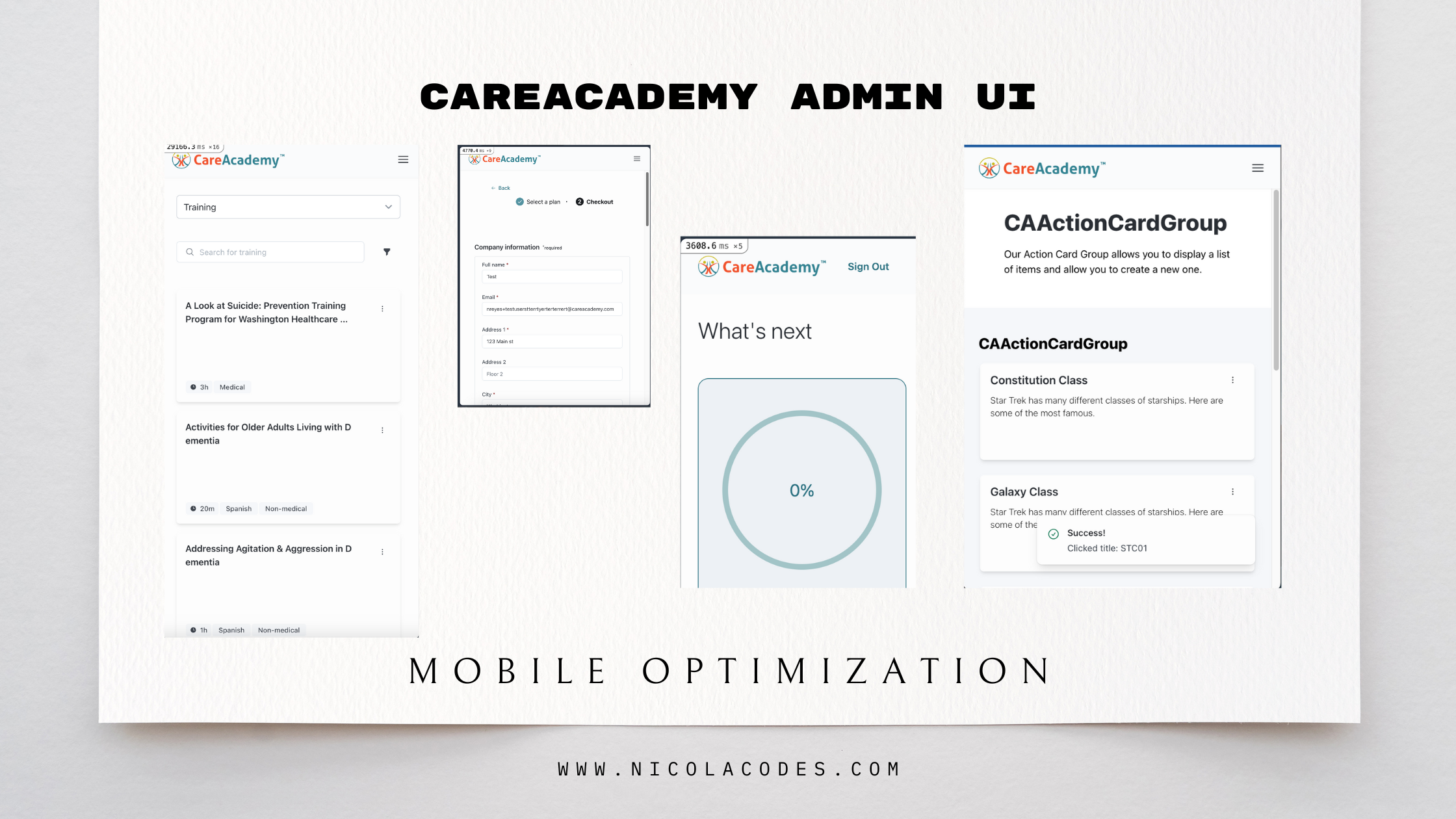
Fig. 07 · Click to enlarge
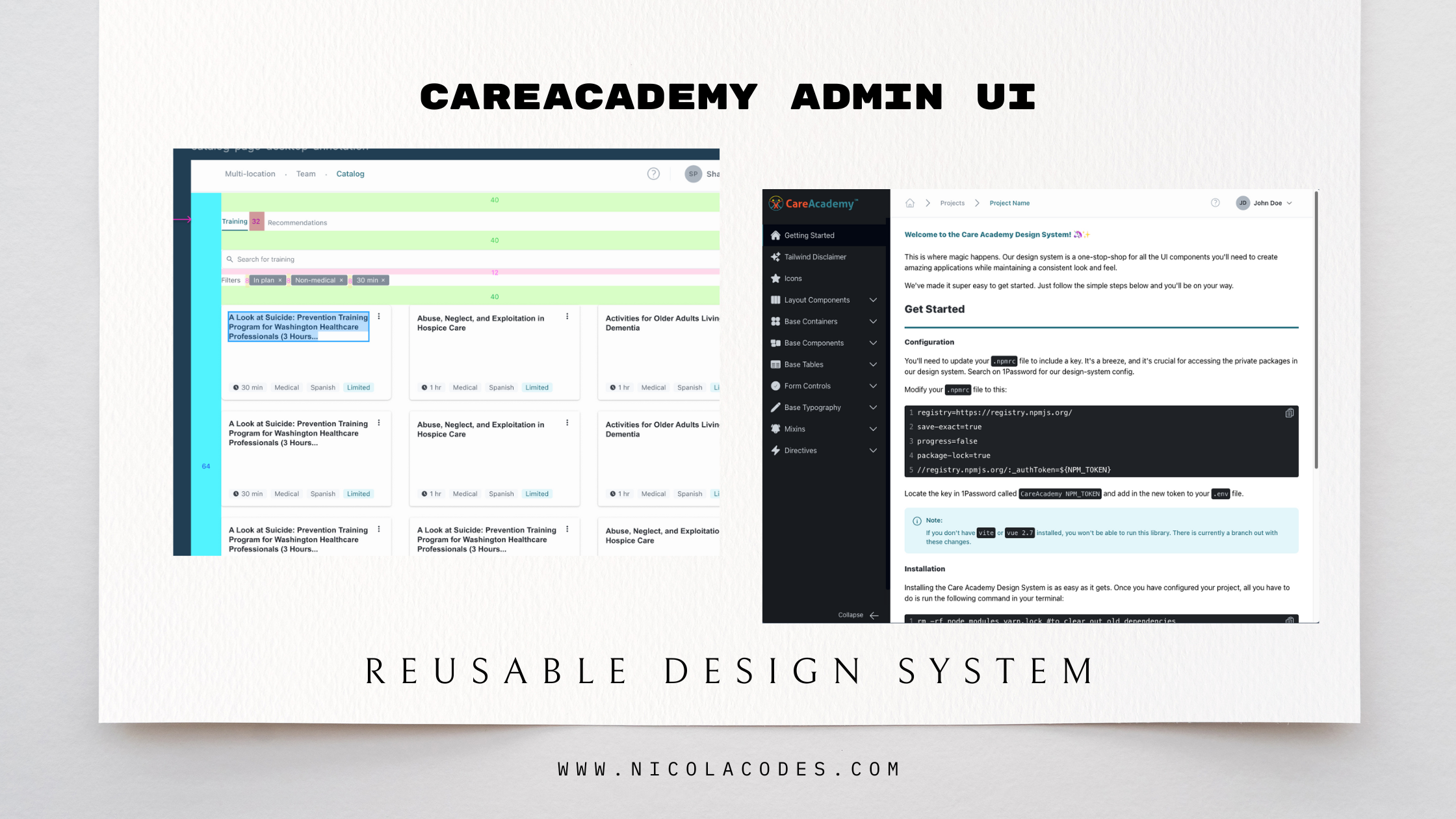
Fig. 08 · Click to enlarge
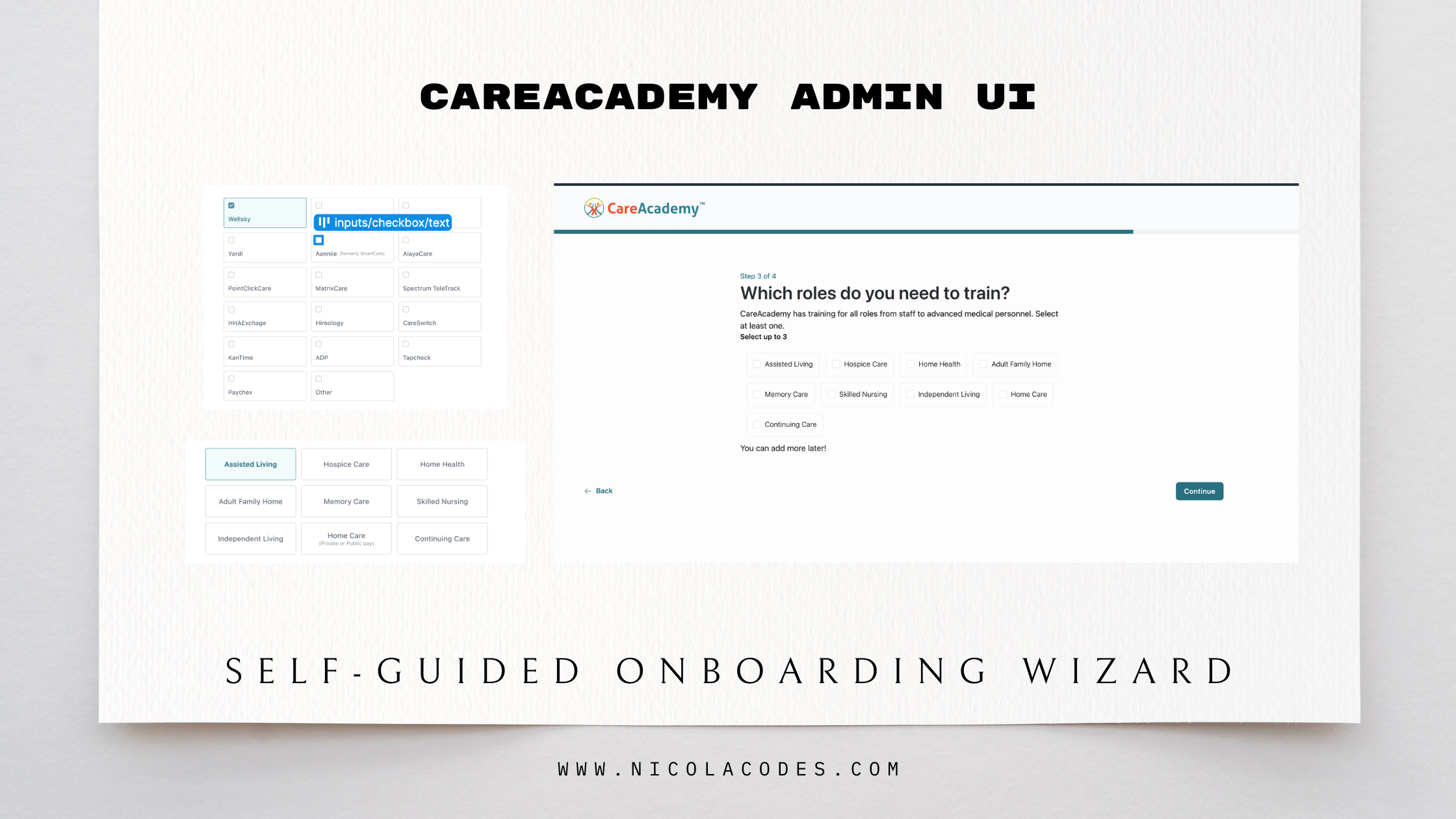
Fig. 09 · Click to enlarge
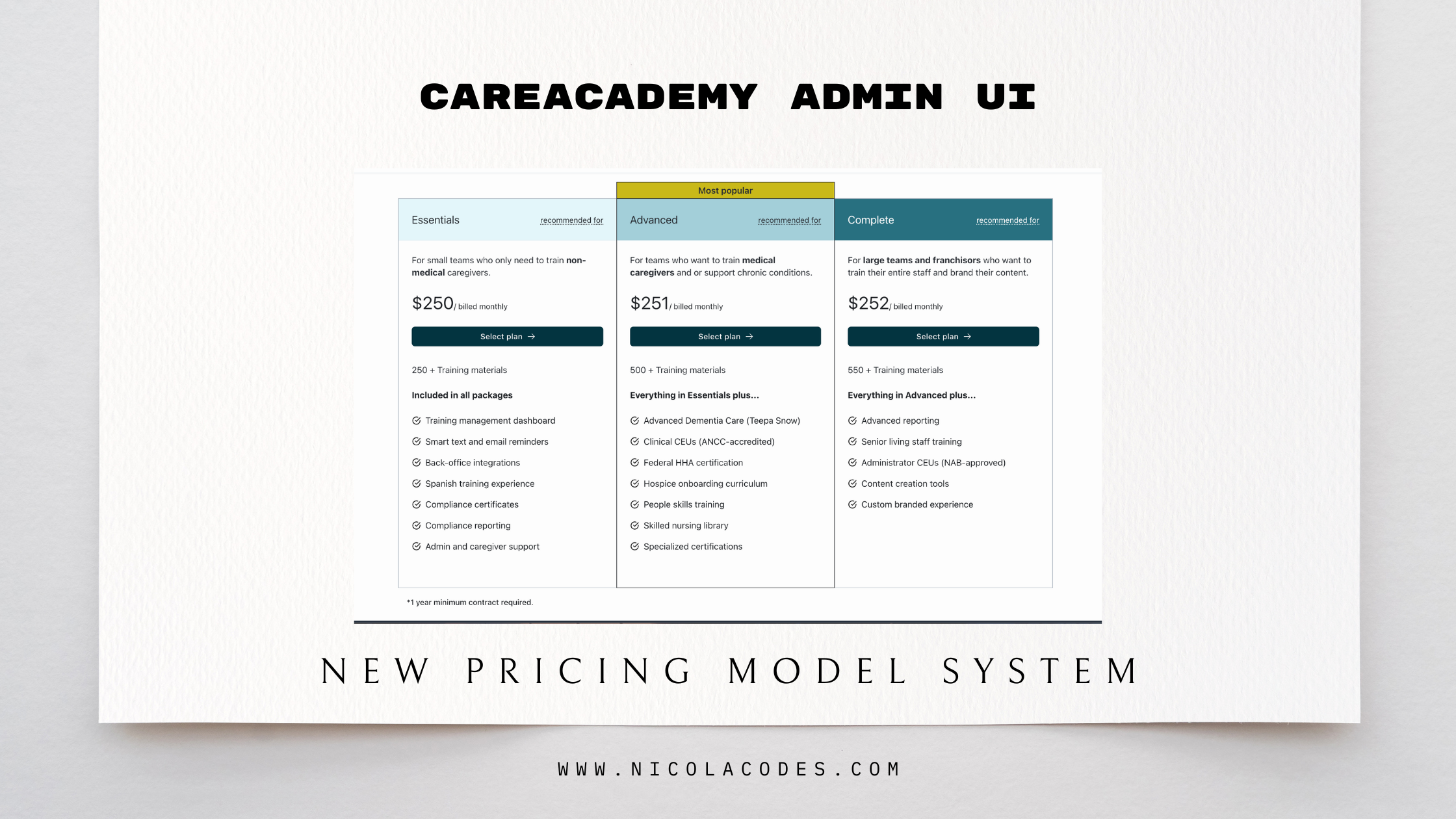
Fig. 10 · Click to enlarge
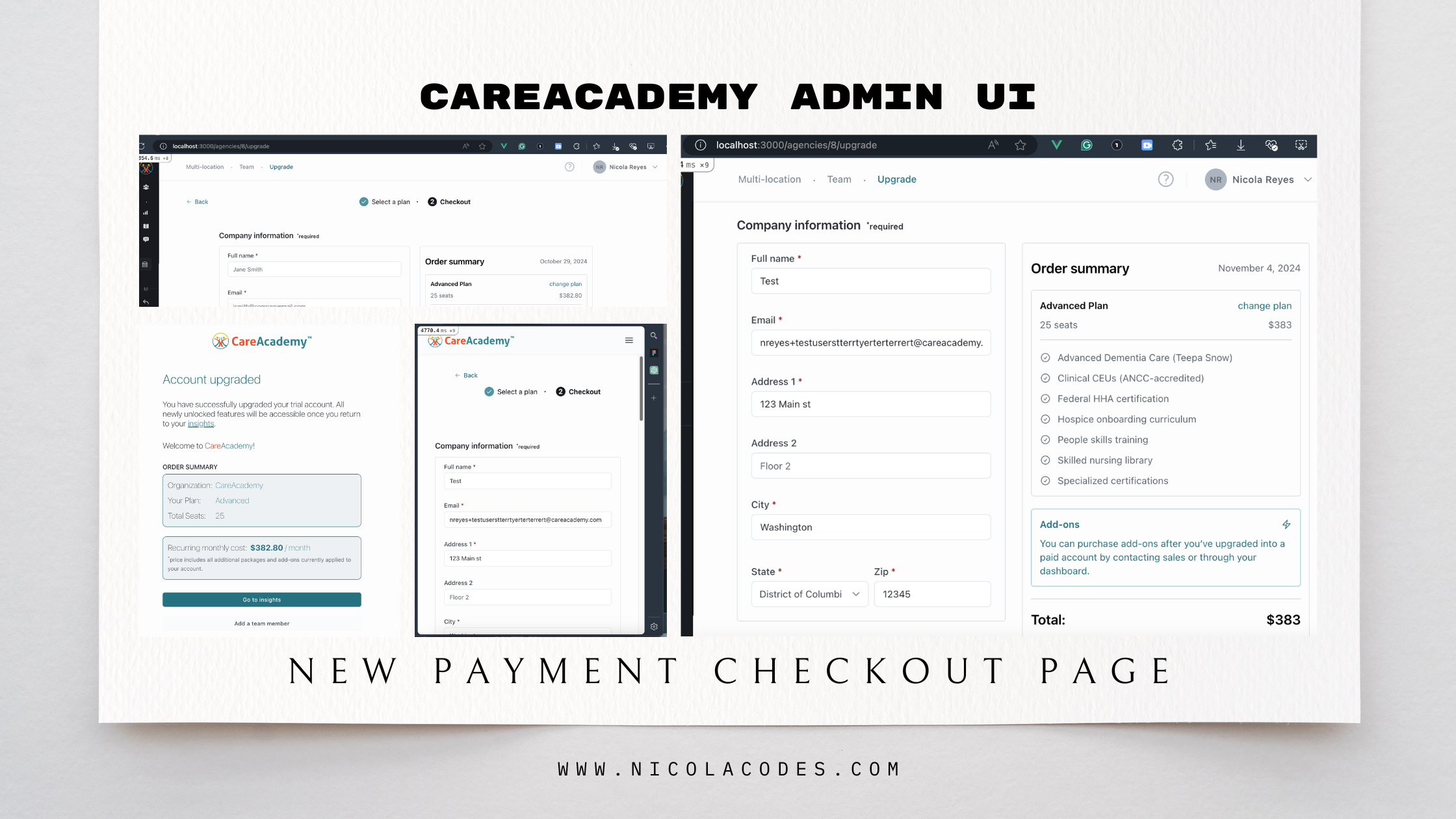
Fig. 11 · Click to enlarge